
Microsoft Excel Posts & Guides
Developer tab group’s shortcuts in Microsoft Excel 2016
- September 22, 2016
- Posted by: SPiyush
- Category: Microsoft Excel Shortcuts
Developer tab group’s shortcuts MS Excel
See Previous Post: View tab groups buttons tools shortcuts Microsoft Excel 2016
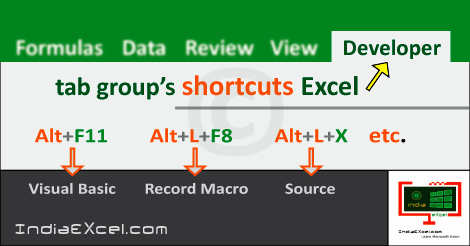
So, a list of the Developer tab group’s shortcuts is mentioned in table below. The Shortcuts not only speed up tasks, but also they save lots of time. Above all, these shortcuts are part of the Developer tab ribbon group’s in MS Excel.
Most noteworthy, the Developer tab has the Code group, the Add-ins group, the Controls group and the XML group. And, some of the buttons from these groups are the Visual Basic button and the Macros button.
In addition, also the buttons are the Add-ins button, the View Code button and the Source button respectively. Especially, this group is for the Developers who like to write codes for the Programs.
Even more, the Developer tab group’s shortcuts records Macros, inserts Form & ActiveX Controls etc. The various keys assigned with “Alt” key helps to activate & execute shortcuts in Microsoft Excel. Similarly, the “Ctrl” key with other keys have been already allocated for shortcuts.
Developer tab group’s shortcuts Microsoft Excel
| Alt Key shortcuts | Description |
| Alt+L+V or Alt+F11 | Visual Basic button |
| Alt+L+PM or Alt+F8 | View Macros tool |
| Alt+L+R | Record Macro |
| Alt+L+U | Use Relative References |
| Alt+L+AS | Macro Security button |
| Alt+L+A1 | Insert an Add-in tool |
| Alt+L+H | Excel Add-ins |
| Alt+L+J | COM Add-ins |
| Alt+L+I | Insert Controls |
| Alt+L+DM | Design Mode button |
| Alt+L+L | Control Properties |
| Alt+L+C | View Code button |
| Alt+L+N | Run Dialog tool |
| Alt+L+X | Source button |
| Alt+L+O | Map Properties |
| Alt+L+S | Expansion Packs |
| Alt+L+F | Refresh XML Data |
| Alt+L+T | Import XML Data |
| Alt+L+E | Export XML Data |
Especially important, in the table above the button & tool words give similar sense. Specifically, no shortcut starts with “Ctrl” key or “Shift” key in the Developer tab in Excel. Further, the Developer tab also has Alt shortcut keys allotted for its group’s buttons, like all other tab’s shortcuts.
See Next Post: Conditional Formatting buttons tools Styles group MS Excel 2016
Author:SPiyush
Leave a Reply Cancel reply
STAY UPDATED
RECENT POSTS
File tab Backstage View buttons introduction Microsoft Excel 2016
File tab Backstage View tools MS Excel 2016 In this post,...
Add numbers addition Microsoft Excel 2016 (adding in excel)
How to Add numbers (adding numeric) MS Excel See Previous...
Using Format Painter tool button Microsoft Excel 2016
How to use Format Painter button MS Excel See Previous...
Clipboard group Cut Copy and Paste Microsoft Excel 2016
Cut Copy Paste Clipboard group MS Excel 2016 See Previous...

Description of Font group buttons tools MS Excel 2016
Overview of Font group buttons Excel 2016 See Previous Post: Clipboard...
Alignment group tools buttons Microsoft Excel 2016
Commands of Alignment group Excel 2016 See Previous Post: Font group...
Number group buttons tools Formats Microsoft Excel
Number group tools commands Excel 2016 See Previous Post: Alignment Group...
Styles group buttons Home tab Microsoft Excel 2016
Styles group tools Microsoft Excel 2016 See Previous Post: Number group buttons commands...
Cells group tools description Home tab MS Excel 2016
Cells group buttons overview Microsoft Excel See Previous Post: Styles group...
Editing group buttons Home tab Microsoft Excel 2016
Editing group commands Microsoft Excel See Previous Post: Cells group buttons...
Clipboard, Font, Alignment, Number, Styles, Cells, Editing groups Microsoft Excel
Home tab groups buttons Microsoft Excel 2016 See Previous Post: Editing...
Tables group buttons Insert Tab ribbon Microsoft Excel
Insert Tab tools of Tables group Excel 2016 See Previous...
Illustrations group buttons of Insert Tab Excel 2016
Illustrations group tools Microsoft Excel 2016 See Previous Post: Tables group buttons...
File tab Backstage View buttons introduction Microsoft Excel 2016
File tab Backstage View tools MS Excel 2016 In this post,...
Add numbers addition Microsoft Excel 2016 (adding in excel)
How to Add numbers (adding numeric) MS Excel See Previous...
Using Format Painter tool button Microsoft Excel 2016
How to use Format Painter button MS Excel See Previous...
Clipboard group Cut Copy and Paste Microsoft Excel 2016
Cut Copy Paste Clipboard group MS Excel 2016 See Previous...

Description of Font group buttons tools MS Excel 2016
Overview of Font group buttons Excel 2016 See Previous Post: Clipboard...
Alignment group tools buttons Microsoft Excel 2016
Commands of Alignment group Excel 2016 See Previous Post: Font group...
Number group buttons tools Formats Microsoft Excel
Number group tools commands Excel 2016 See Previous Post: Alignment Group...
Styles group buttons Home tab Microsoft Excel 2016
Styles group tools Microsoft Excel 2016 See Previous Post: Number group buttons commands...
Cells group tools description Home tab MS Excel 2016
Cells group buttons overview Microsoft Excel See Previous Post: Styles group...
Editing group buttons Home tab Microsoft Excel 2016
Editing group commands Microsoft Excel See Previous Post: Cells group buttons...
Clipboard, Font, Alignment, Number, Styles, Cells, Editing groups Microsoft Excel
Home tab groups buttons Microsoft Excel 2016 See Previous Post: Editing...
Tables group buttons Insert Tab ribbon Microsoft Excel
Insert Tab tools of Tables group Excel 2016 See Previous...
Illustrations group buttons of Insert Tab Excel 2016
Illustrations group tools Microsoft Excel 2016 See Previous Post: Tables group buttons...













