
Microsoft Excel Posts & Guides
Data tab group’s buttons shortcuts Microsoft Excel 2016
- September 19, 2016
- Posted by: SPiyush
- Category: Microsoft Excel Shortcuts
Data tab group’s shortcuts MS Excel 2016
See Previous Post: Formulas tab groups tools commands shortcuts MS Excel 2016
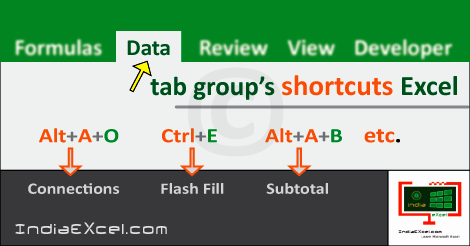
First of all, the Data tab group’s shortcuts list have been mentioned in the table below. The Shortcuts in a program gets executed from the keyboard keys. So, these shortcuts are part of the Data tab ribbon group’s in Microsoft Excel 2016.
Especially, the Data tab group’s shortcuts applies Filtering, Data Connections, Data Management etc. The “Alt” key shortcut with other keys trigger button actions in Excel. Also, the “Ctrl” key is pressed for control key shortcuts followed by different keys to perform tasks respectively.
Data tab group’s shortcuts Excel 2016
| Alt Key shortcuts | Description |
| Alt+A+FA | Get Data From Access button |
| Alt+A+FW | Get Data From Web |
| Alt+A+FT | Get Data From Text tool |
| Alt+A+FO | Get Data From Other Sources |
| Alt+A+X | Get Data Using an Existing Connection |
| Alt+A+PN | New Query button |
| Alt+A+PS | Show Queries tool |
| Alt+A+PT | From Table button |
| Alt+A+PR | Recent Sources tool |
| Alt+A+R or Ctrl+Alt+F5 | Refresh All button |
| Alt+A+O | Connections button |
| Alt+A+P1 | Data Range Properties |
| Alt+A+K | Edit Links tool |
| Alt+A+SA | Sort A to Z button |
| Alt+A+SD | Sort Z to A tool |
| Alt+A+SS | Sort button |
| Alt+A+T or Ctrl+Shift+L | Filter button |
| Alt+A+C | Clear Filter tool |
| Alt+A+Y1 or Ctrl+Alt+L | Reapply Filter |
| Alt+A+Q | Advanced Filter |
| Alt+A+E | Text to Columns button |
| Alt+A+FF or Ctrl+E | Flash Fill button |
| Alt+A+M | Remove Duplicates |
| Alt+A+V | Data Validation tool |
| Alt+A+N | Consolidate button |
| Alt+A+A | Relationships tool |
| Alt+A+DM | Manage Data Model (Go to the Power Pivot Window) |
| Alt+A+W | What-If Analysis button |
| Alt+A+FC | Forecast Sheet tool |
| Alt+A+G | Group button |
| Alt+A+U | Ungroup button |
| Alt+A+B | Subtotal button |
| Alt+A+J | Show Detail tool |
| Alt+A+H | Hide Detail button |
| Alt+A+L | Outline button |
So, the button & tool words used in the table above; give identical meaning in the Description Column. Three keys combining the “Alt” key is used generally for shortcuts. Also, the “Ctrl” key shortcuts used, are two or more than two keys combined together in Excel.
See Next Post: Review tab groups buttons tools shortcuts MS Excel 2016
Author:SPiyush
Leave a Reply Cancel reply
STAY UPDATED
RECENT POSTS
File tab Backstage View buttons introduction Microsoft Excel 2016
File tab Backstage View tools MS Excel 2016 In this post,...
Add numbers addition Microsoft Excel 2016 (adding in excel)
How to Add numbers (adding numeric) MS Excel See Previous...
Using Format Painter tool button Microsoft Excel 2016
How to use Format Painter button MS Excel See Previous...
Clipboard group Cut Copy and Paste Microsoft Excel 2016
Cut Copy Paste Clipboard group MS Excel 2016 See Previous...
Description of Font group buttons tools MS Excel 2016
Overview of Font group buttons Excel 2016 See Previous Post: Clipboard...
Alignment group tools buttons Microsoft Excel 2016
Commands of Alignment group Excel 2016 See Previous Post: Font group...
Number group buttons tools Formats Microsoft Excel
Number group tools commands Excel 2016 See Previous Post: Alignment Group...
Styles group buttons Home tab Microsoft Excel 2016
Styles group tools Microsoft Excel 2016 See Previous Post: Number group buttons commands...
Cells group tools description Home tab MS Excel 2016
Cells group buttons overview Microsoft Excel See Previous Post: Styles group...
Editing group buttons Home tab Microsoft Excel 2016
Editing group commands Microsoft Excel See Previous Post: Cells group buttons...
Clipboard, Font, Alignment, Number, Styles, Cells, Editing groups Microsoft Excel
Home tab groups buttons Microsoft Excel 2016 See Previous Post: Editing...
Tables group buttons Insert Tab ribbon Microsoft Excel
Insert Tab tools of Tables group Excel 2016 See Previous...
Illustrations group buttons of Insert Tab Excel 2016
Illustrations group tools Microsoft Excel 2016 See Previous Post: Tables group buttons...
File tab Backstage View buttons introduction Microsoft Excel 2016
File tab Backstage View tools MS Excel 2016 In this post,...
Add numbers addition Microsoft Excel 2016 (adding in excel)
How to Add numbers (adding numeric) MS Excel See Previous...
Using Format Painter tool button Microsoft Excel 2016
How to use Format Painter button MS Excel See Previous...
Clipboard group Cut Copy and Paste Microsoft Excel 2016
Cut Copy Paste Clipboard group MS Excel 2016 See Previous...
Description of Font group buttons tools MS Excel 2016
Overview of Font group buttons Excel 2016 See Previous Post: Clipboard...
Alignment group tools buttons Microsoft Excel 2016
Commands of Alignment group Excel 2016 See Previous Post: Font group...
Number group buttons tools Formats Microsoft Excel
Number group tools commands Excel 2016 See Previous Post: Alignment Group...
Styles group buttons Home tab Microsoft Excel 2016
Styles group tools Microsoft Excel 2016 See Previous Post: Number group buttons commands...
Cells group tools description Home tab MS Excel 2016
Cells group buttons overview Microsoft Excel See Previous Post: Styles group...
Editing group buttons Home tab Microsoft Excel 2016
Editing group commands Microsoft Excel See Previous Post: Cells group buttons...
Clipboard, Font, Alignment, Number, Styles, Cells, Editing groups Microsoft Excel
Home tab groups buttons Microsoft Excel 2016 See Previous Post: Editing...
Tables group buttons Insert Tab ribbon Microsoft Excel
Insert Tab tools of Tables group Excel 2016 See Previous...
Illustrations group buttons of Insert Tab Excel 2016
Illustrations group tools Microsoft Excel 2016 See Previous Post: Tables group buttons...















