
Microsoft Excel Buttons

Clear buttons of Alignment group Home tab MS Excel See Previous Post: Fill buttons tools Editing group Microsoft Excel 2016 So, already the Editing group‘s buttons has been discussed, in of the posts. This group is part of the Home tab ribbon. There are Five buttons in this group. They’re the Autosum button, the Fill button and the Clear button […]

Fill buttons overview Editing group Excel See Previous Post: Multiple ways use Autosum buttons functions Microsoft Excel 2016 Earlier in the post, we’ve discussed on the buttons of the Delete group. Now in this post, we’ll know further about the Fill buttons of the Editing group. This group is part of the Home tab ribbon. Also once, […]
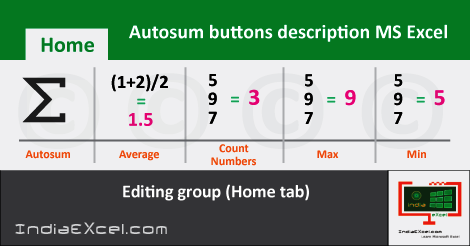
Several ways to use Autosum buttons functions Excel See Previous Post: Delete buttons tools Cells group Microsoft Excel 2016 The Autosum buttons functions are part of the Editing group. This group is present in the Home tab ribbon. And, in this post, we’re going to know furthermore about the buttons of this group. Also, an overview of all the […]
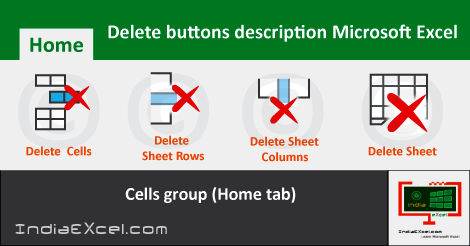
Delete buttons description Cells group MS Excel See Previous Post: Insert buttons tools Cells group Microsoft Excel 2016 Previously, in the post, we’ve discussed about on the Delete buttons. Now, we’ll next explain deep about the Delete buttons. Also, these buttons are part of the Cells group of the Home tab. And, the key role of these buttons, as the […]
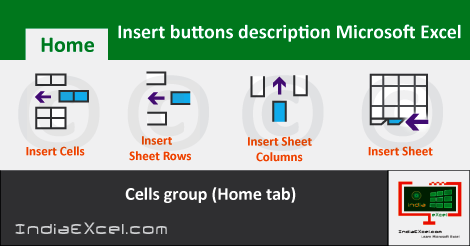
Insert buttons description of Cells group Excel See Previous Post: Introduction Format Cells dialog box Microsoft Excel 2016 Before proceeding, we must know that, the Insert buttons are part of the Cells group. And, this group is part of the Home tab. In addition, already we’ve explained about on the buttons of this group, in one […]

Format Cells dialog box description MS Excel See Previous Post: Merge Center buttons Alignment group Microsoft Excel 2016 In Microsoft Excel, the Format Cells Dialog Box plays a very important & vital role. Also, it has been in this software program from the earlier versions as well. The Home tab ribbon has Seven groups. They are the Clipboard […]

















