
October 2016
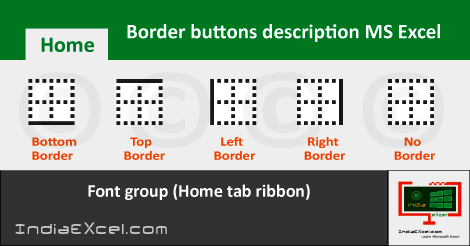
Border buttons explanation Font group MS Excel See Previous Post: Several ways use Format Painter worksheet Microsoft Excel 2016 So, once already, we’ve discussed about the Border buttons of the Font group. But, only an overview of the buttons were given, in one of the post. The Home tab has the Font group. Altogether, this group has total Ten buttons. Once […]

Numerous ways to use Format Painter MS Excel See Previous Post: Different steps Paste data content spreadsheet Microsoft Excel 2016 In detail, we’ll discuss the ways to use Format Painter button in this post. This button is part of the Clipboard group. So, the Home tab ribbon has this group. Also, the Cut button, Copy button and Paste […]

Many ways to Paste data or content Excel 2016 See Previous Post: Various ways Cut data content spreadsheet Microsoft Excel 2016 Different ways are there to Paste data or content in Excel. But, let us first of all know that, What is Paste ? Why to use Paste ? And, How to do Paste in Excel? Above all, Paste is initially inactive, and it becomes active after the […]

Multiple ways to Cut data or content Excel 2016 See Previous Post: Multiple ways Copy data content workbook Microsoft Excel 2016 So, there are several steps to Cut data or content in Excel 2016. But, before discussing about those different ways, in the first place we shall know, What’s a Cut ? Why to use Cut ? And, How to do Cut in Microsoft Excel? Generally, […]
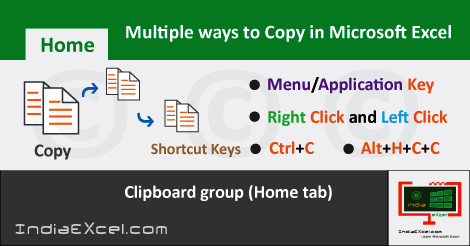
Many ways to Copy data or content in Microsoft Excel See Previous Post: Data Validation button Data Tools group Microsoft Excel There are numerous ways to copy data or content in Microsoft Excel. But, before knowing the various ways, First of all we must know that, what is Copy ? For what purposes Copy is used ? And, How […]
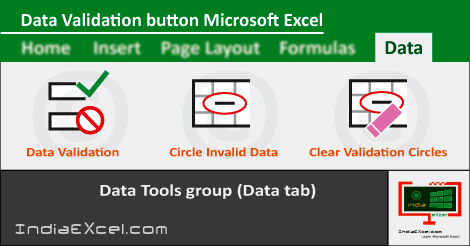
Data Validation button of Data tab Excel 2016 See Previous Post: New Query button description Get Transform group MS Excel 2016 In this post, we’ll discuss further about the Data Validation button. This button is part of the Data Tools group. And, the Data tab ribbon has this group. So, this group has seven (7) buttons. The buttons […]

















